
Example WhatsApp Vape Order Workflow

When you need vape supplies quickly, the difference between a smooth order and a frustrating one usually comes down to the chat. A strong example WhatsApp vape order workflow keeps the process clear from the first message to the final delivery update, so the customer spends less time typing and more time getting exactly what they need.
For adult customers, WhatsApp ordering works best when it feels simple but not vague. You want fast replies, yes, but you also want accuracy. If someone is ordering a disposable for the evening, replacing pods before work, or restocking e-liquid late at night, small details matter. Wrong flavor, wrong nicotine strength, missing coil compatibility, or an incomplete address can turn a quick purchase into unnecessary back-and-forth.
That is why a good workflow is not just about speed. It is about structure. The best WhatsApp order process feels natural to the customer while giving the store enough information to prepare the order correctly the first time.
What a good WhatsApp order flow should do
A practical WhatsApp workflow should reduce friction at every stage. The customer should know what to send first, what the store needs to confirm, and when payment and delivery details are finalized. If those steps are out of order, chats get messy fast.
For a vape retailer, this matters even more because products are not all interchangeable. A customer might ask for a pod but forget the device name. Another might request “the blue one” when several products fit that description. A clear process helps both new and experienced users avoid mistakes.
The ideal flow also respects different customer types. Some people know exactly what they want and send a complete order in one message. Others need light guidance. A workflow has to handle both without slowing everything down.
Example WhatsApp vape order workflow in real use
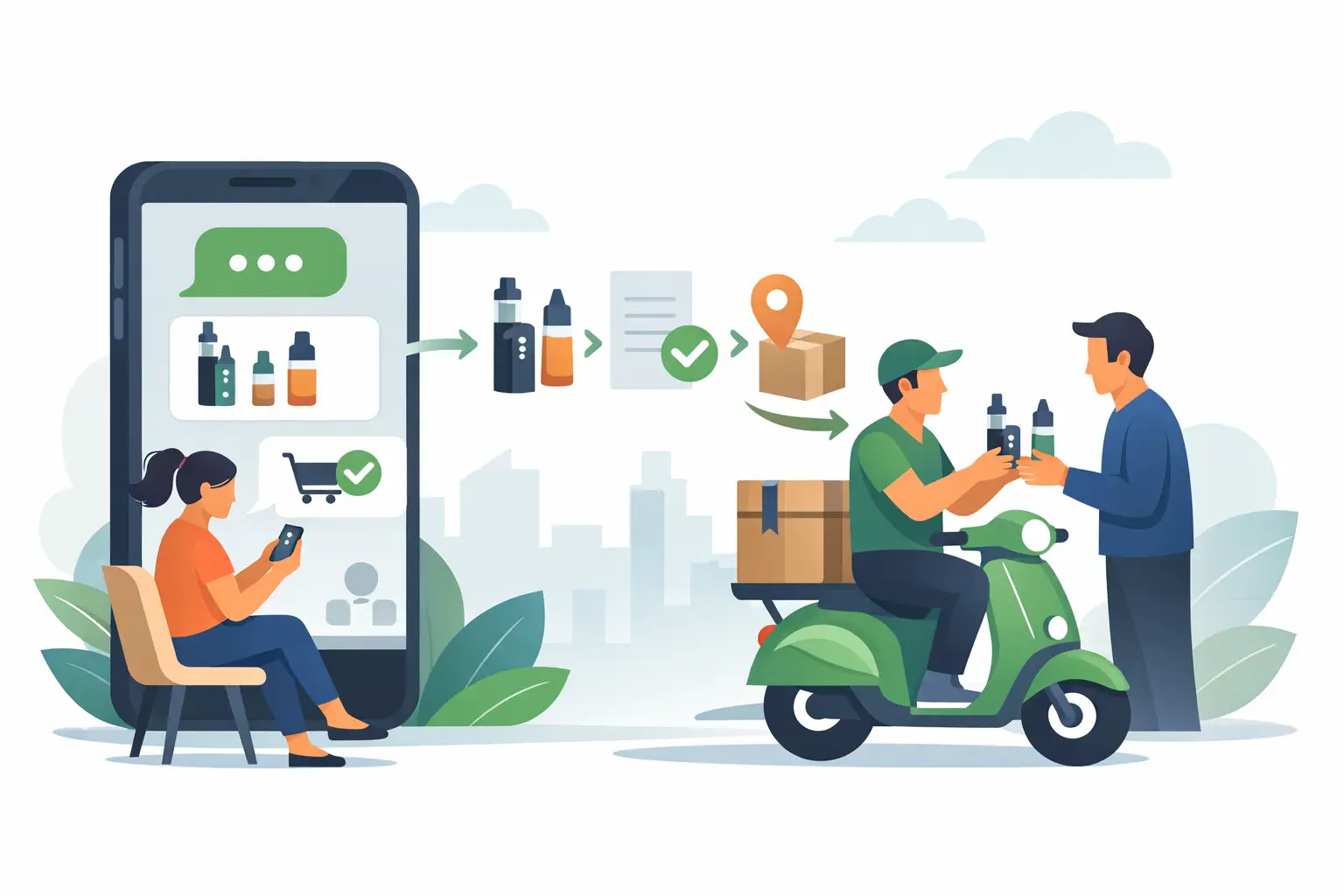
Here is how an example WhatsApp vape order workflow typically looks when it is built for fast service and clear communication.
Step 1: The customer opens with the product request
The first message should be short but specific. Instead of “I need a vape,” the customer sends the product type, brand or device name, flavor if relevant, quantity, and area for delivery. That gives the store enough to respond usefully right away.
A strong opening message might read like this: “Hi, I need 2 disposable vapes in mint, plus 1 pack of pods for X device. Delivery to Juffair.”
That message works because it answers the first questions before they are even asked. The store can immediately check stock, confirm options, and move the order forward.
Step 2: The store confirms availability and clarifies details
Once the request comes in, the next reply should do two things at once. First, it confirms what is available. Second, it clears up anything that could cause an incorrect order.
For example, if the pods come in different resistance options, the store asks that before building the invoice or preparing dispatch. If the requested flavor is unavailable, the reply should offer the nearest alternatives instead of ending the conversation with a simple “out of stock.”
This is where helpful service stands out. Fast replies matter, but useful replies matter more.
Step 3: The customer confirms the final cart
After availability is clear, the customer approves the exact items. At this point, the order should be written back in a clean format inside the chat. That reduces errors and gives both sides a simple reference.
For example: “Confirmed – 2 mint disposables, 1 pod pack for X device, delivery to Juffair.”
This step seems small, but it saves time later. If there is any confusion, it is much easier to fix it here than after dispatch.
Step 4: Delivery details are collected properly
A lot of WhatsApp delays happen because the address process is too casual. A customer sends a building name with no apartment number, or a location pin with no contact name. That slows down delivery even when the product side of the order is perfect.
A better workflow asks for the full delivery details in one go: name, area, building or house number, apartment or office number if needed, and contact number if different from WhatsApp. If timing matters, this is also the moment to mention it.
In Bahrain, where customers often expect fast delivery across busy urban areas, this step is especially important. A clear address message can make the difference between a same-day drop-off and a long clarification loop.
Step 5: Payment method is confirmed
Once the cart and location are locked in, payment comes next. This should be handled directly and clearly. The store confirms the order total, then asks which payment option the customer prefers from the available methods.
What matters here is clarity, not pressure. The customer should know the total before dispatch. Hidden fees or last-minute changes create doubt and slow repeat business.
Step 6: The store shares the order confirmation
At this point, the chat should contain one clean confirmation message with the final items, total, payment method, and delivery area. This is the point where the order stops being a conversation and becomes an active fulfillment task.
That internal shift matters. Without it, chats stay informal for too long, and orders can get buried under newer messages.
Step 7: Delivery status is updated without the customer chasing
A smart workflow does not end at “confirmed.” Customers want reassurance that the order is moving. Even a short message like “Your order is being prepared” or “Out for delivery” improves confidence.
This is especially valuable for late-night orders or urgent replacements. If someone ordered because they ran out, silence after payment can feel longer than it really is.
Why this workflow works better than casual chat
The reason this example WhatsApp vape order workflow performs well is simple. It removes guesswork. The customer knows what to send, and the store knows what to confirm.
That does not mean every order should feel scripted. In fact, overly rigid replies can make WhatsApp feel like a form rather than a conversation. The best approach is structured but still human. Friendly, direct messages work better than long templates pasted into every chat.
There is also a balance to keep. If the store asks too many questions too early, the process feels slow. If it asks too few, mistakes increase. The right workflow gets only the essential information at each stage, then moves forward.
Common points where orders break down
Most WhatsApp ordering problems are predictable. Customers sometimes send incomplete product names, especially with pods, coils, and accessories. Newer users may not know which replacement part matches their device, while experienced users may type quickly and assume the store understands shorthand.
Address details are another weak spot. A pinned location helps, but it is rarely enough on its own. Delivery teams still need building access details and a clear contact point.
Then there is stock substitution. If the requested item is not available, the conversation can either stay efficient or become messy. The store should offer close alternatives with a simple explanation, not a long product lecture. For most customers, the goal is to make a quick, confident decision.
How to make the workflow feel faster without rushing it
Speed on WhatsApp is not just about response time. It is also about message quality. One strong reply can replace three weak ones.
For example, instead of asking, “What do you need?” and then, “Which flavor?” and then, “What area?” it is better to guide the customer early with a message that prompts all three. That keeps the order moving without making the customer feel managed.
This is where experienced support teams stand out. They recognize patterns quickly. If a customer asks for a pod brand, they know to confirm the exact device. If a customer asks for a disposable, they know flavor and quantity are the key next questions. Efficient service is often about asking the right question before the problem appears.
For stores that operate around the clock, consistency matters just as much as speed. The ordering experience should feel equally reliable whether the message arrives in the afternoon or late at night. That consistency builds trust, and trust is what turns one-off buyers into regular customers.
VapeShop.bh has built much of that trust around responsive WhatsApp service, and the principle is straightforward: make ordering easy, make confirmation clear, and make delivery updates timely.
A better chat starts with better expectations
If you are looking at an example WhatsApp vape order workflow to improve the customer experience, the main takeaway is not complexity. It is clarity. Customers do not need a long process. They need a dependable one.
The best WhatsApp order flow feels quick because each message has a purpose. Product request, availability check, order confirmation, address details, payment confirmation, and delivery updates – each step earns its place. When that structure is in place, ordering feels less like chasing a reply and more like getting service from a team that is prepared.
A good workflow should leave the customer with one feeling above all: that ordering again will be even easier next time.
Frequently Asked Questions
A clear first message should include the product type, brand or device name, quantity, flavor if relevant, and the delivery area. This helps the store confirm the right item quickly and reduces back-and-forth.
The chat should include the exact product request, any relevant flavor choice, and the location for delivery. If the product is a pod or coil item, the device name or compatibility detail should also be included. That keeps the order accurate before payment is confirmed.
After the first message, the store confirms availability and clears up anything that could cause an incorrect order. The customer then approves the final cart in a clean format inside the chat. This step is useful when the order contains items that are easy to mix up.
The delivery details should be sent in one go: name, area, building or house number, apartment or office number if needed, and a contact number if it is different from WhatsApp. A full address reduces delays and helps the order move through the chat smoothly.
Payment comes after the cart and location are locked in. The store confirms the total and then asks which payment option the customer wants, such as COD, BenefitPay, or card. This keeps the order final before it is sent for delivery.
A good confirmation message lists the final items, total, payment method, and delivery area in one clean chat. That gives the customer one place to check the order before it is prepared. It also reduces mistakes if the order was discussed quickly.
Once the order is confirmed, the store should send delivery status updates without the customer needing to chase.For support, customers can also use WhatsApp: +973 66324432.