

Pod Device Durability Review: What Lasts Daily?

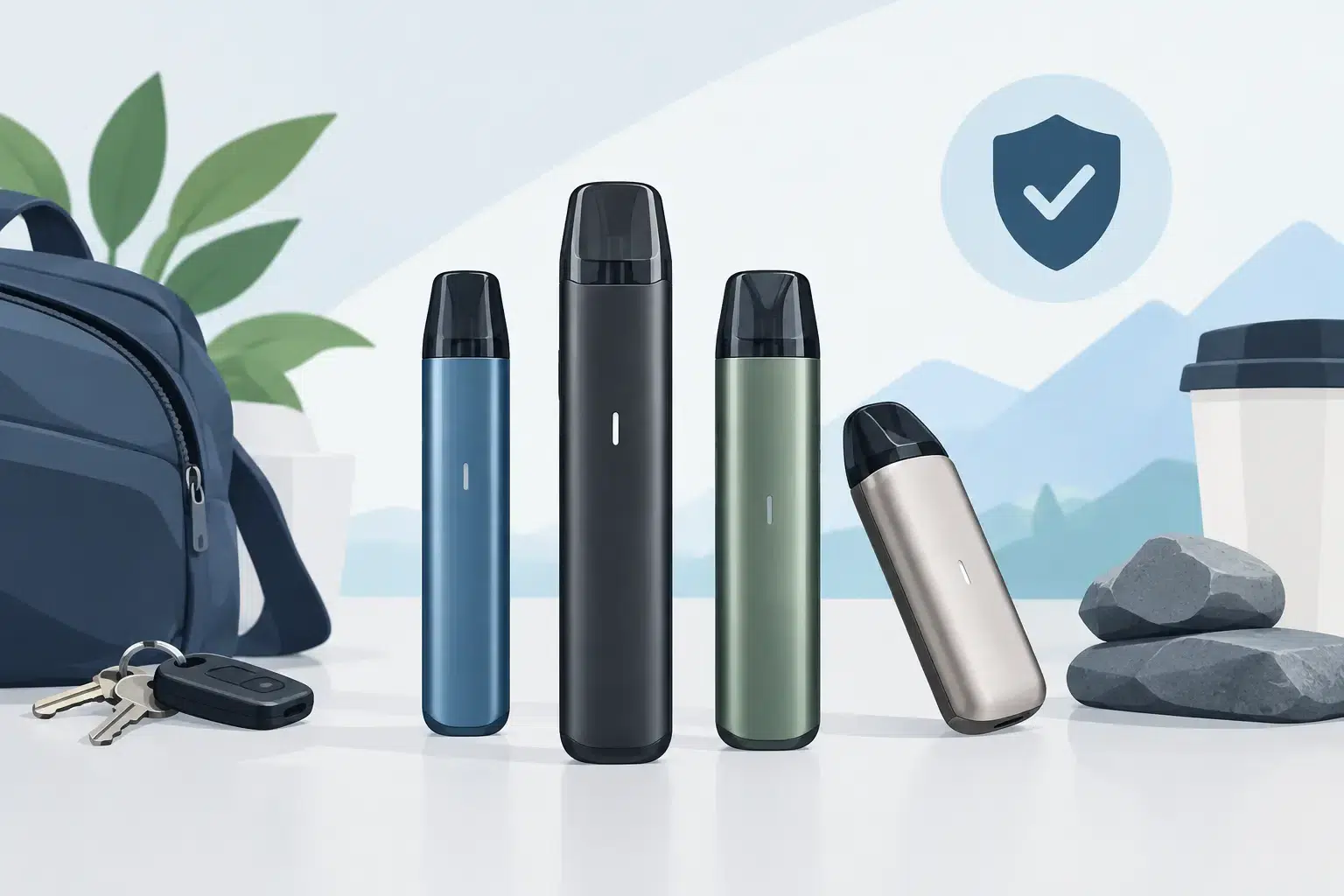
A pod device can look perfect on day one and still become frustrating within a few weeks. A loose pod, worn charging port, fading battery, or sticky button can turn a convenient setup into something you avoid using. This pod device durability review focuses on the parts that face real daily pressure, so you can choose with fewer surprises.
For most adult users, durability is not about dropping a device from a balcony. It is about how it performs after being carried in a pocket, placed on a desk, recharged regularly, and refilled or fitted with replacement pods. The best choice depends on your routine, but a few design details consistently make a meaningful difference.
Pod Device Durability Review: What Matters Most
A durable pod device is a system, not just a metal shell. The body, pod connection, battery, charging port, airflow path, and control button all need to work together over time. A device may feel solid in the hand yet still fail early if its pod connection becomes loose or its charging port is poorly protected.
Build material is the first thing most buyers notice. Aluminum alloy bodies generally offer a good balance of low weight and everyday resistance to scuffs. Zinc alloy devices can feel heavier and more substantial, although weight alone does not guarantee a longer lifespan. Plastic-bodied devices are often lighter and less expensive, but they may show cosmetic wear sooner and can crack if they take a hard impact.
The finish matters as well. Matte surfaces tend to hide fingerprints and minor marks better than glossy coatings. Painted finishes can chip around edges, especially on devices that share a pocket with keys or coins. A small silicone sleeve can protect the finish, but it may trap lint or make the device less comfortable to carry. It is a trade-off worth considering if appearance is a priority.
The pod connection is the real stress point
The connection between the pod and device deserves more attention than the outer shell. Magnetic connections are common because they make pod changes quick and simple. A good magnetic fit should hold the pod firmly without requiring force to remove it. If the pod rocks side to side, loses contact when moved, or needs repeated adjustment to fire properly, the connection may wear faster than expected.
Look closely at the electrical contact pins inside the device. Spring-loaded pins should move smoothly and return to position. Condensation or leaked e-liquid around these contacts can interrupt performance and, over time, contribute to corrosion. Wiping the pod base and the device cavity with a dry tissue before installing a pod is a small habit that can protect a major wear point.
Pod materials also vary. Clear plastic makes it easy to monitor liquid level, but it can become cloudy or develop fine cracks after repeated use. Darker pods may look cleaner longer, though they make it harder to see when a refill is needed. Neither style is automatically better. What matters more is a secure seal, a firm mouthpiece, and a pod that does not loosen after repeated removal.
Charging ports need protection, not force
USB-C charging has become common on pod devices for good reason: the connector is convenient and reversible. Still, the port remains one of the most exposed components. Pocket dust, lint, moisture, and pulling the cable at an angle can all affect charging reliability.
A durable device should accept a charging cable without wobbling. It should also charge consistently without needing the cable positioned in a particular direction. If charging becomes intermittent, stop forcing the connector. Check for lint carefully and use a dry, nonmetal tool if cleaning is necessary. Pushing sharp objects into the port can damage the internal contacts.
Charging habits affect battery health as much as hardware design. Use a suitable cable and power source, avoid charging on soft surfaces that hold heat, and unplug the device once it has completed its charge. A battery will naturally hold less charge as it ages, but excessive heat can speed up that decline.
Battery Life Is Not the Same as Device Longevity
A large battery can reduce how often you need to recharge, which is convenient for busy workdays, errands, and travel. But battery capacity alone does not tell you how long the device will remain dependable. The quality of the internal battery, charging controls, and heat management matters just as much.
Higher-power settings can place more demand on the battery and coil. They may offer a stronger output, but they can also shorten time between charges and create more heat. If long-term reliability is your priority, using the device within its recommended range is usually the sensible choice. Maximum power is not always the best daily setting.
Watch for changes that suggest the battery needs attention. A device that becomes unusually hot, drains dramatically faster than before, turns itself off unexpectedly, or shows a damaged casing should not be ignored. Stop using it and seek advice from a knowledgeable retailer. Battery safety is not an area for trial and error.
Buttons, airflow controls, and screens add convenience
Simple draw-activated devices have fewer moving parts, which can be an advantage for users who value uncomplicated operation. With no button or display, there is less hardware to wear out. The trade-off is less control over power and airflow.
Devices with adjustable airflow, buttons, or screens can be more flexible, particularly for experienced users who want to fine-tune performance. However, each added feature creates another potential point of wear. An airflow slider can collect dust. A button can become less responsive after heavy use. A screen can scratch or crack if the device is dropped.
That does not mean feature-rich devices are less durable. It means they benefit from more careful handling. If you routinely carry your device while moving between meetings, driving, or working outdoors, a simpler design may serve you better than one with controls you rarely use.
Daily Habits That Extend Pod Device Life
Durability is partly determined at purchase and partly determined by routine. Keeping the device upright when possible reduces the chance of liquid collecting where it should not. Do not leave it in direct sun or a hot vehicle, especially in Bahrain’s warmer months. Heat can affect both battery performance and pod seals.
Clean the pod compartment regularly. You do not need specialized equipment for this – a dry tissue is usually enough to remove condensation and dust. If you see significant leaking, remove the pod, clean both surfaces, and check that the pod is properly seated. Continuing to use a leaking pod can lead to poor contact and inconsistent performance.
Avoid overtightening or forcing any component. Pods should slide or click into place with normal pressure. Charging cables should connect easily. If something requires force, pause and inspect it rather than trying to make it fit. This simple approach prevents many avoidable breaks.
It also helps to carry the device separately from sharp objects. A small pouch or dedicated pocket protects the finish, screen, mouthpiece, and charging port. For people who are frequently on the move, this is often more useful than choosing the heaviest device available.
How to Choose a Device That Matches Your Routine
Before buying, think about where the device will spend most of its time. A desk-based user may be comfortable with a larger model and screen. Someone who commutes, travels between appointments, or needs a quick replacement during a busy day may prefer a compact device with a secure pod fit and straightforward charging.
Ask practical questions: Does the pod sit firmly? Are replacement pods readily available? Is the charging port protected by the device’s shape? Does the device feel comfortable without being overly heavy? A good retailer should be able to explain these details clearly, not just point to the newest model.
VapeShop.bh can help adult customers compare pod systems based on daily use, replacement availability, and preferred features, with support when you need a quick answer. The right device is not necessarily the one with the most settings. It is the one you can rely on after the first week, the first month, and the ordinary wear of a full schedule.
Choose a pod device with a secure connection, sensible charging design, and features you will actually use, then give it a few minutes of care each week. That combination does more for long-term reliability than a flashy finish ever will.
Frequently Asked Questions
Look at the complete system rather than only the outer shell. The body, pod connection, battery, charging port, airflow path, and control button all face daily pressure when the device is carried, placed on a desk, recharged, or fitted with replacement pods.
Aluminum alloy bodies can provide a balance between low weight and everyday resistance to scuffs. Material alone does not guarantee a longer lifespan, so the pod connection, charging port, controls, and overall construction also matter.
Zinc alloy devices can feel heavier and more substantial in the hand. However, extra weight by itself does not prove that a pod device will last longer during regular use.
The finish affects how a device handles visible everyday wear. A matte surface can be considered alongside the body material, but durability also depends on the pod connection, charging port, airflow path, and controls.
A loose pod, worn charging port, fading battery, or sticky button can reduce convenience over time. These areas experience regular pressure when the device is carried in a pocket, placed on a desk, and recharged frequently.
Plastic-bodied devices are often lighter and less expensive, but they may show cosmetic wear sooner. They can also crack after a hard impact, so the expected routine and handling should be considered before choosing one.
VapeShop.Payment options include Cash on Delivery, BenefitPay, and credit or debit card.